iCal & Webcal Calendar Support
· 2 min read

KairosEye v1 only
iCal/Webcal URL support was available in v1. v2 uses Google Calendar OAuth instead. This post is kept for reference.
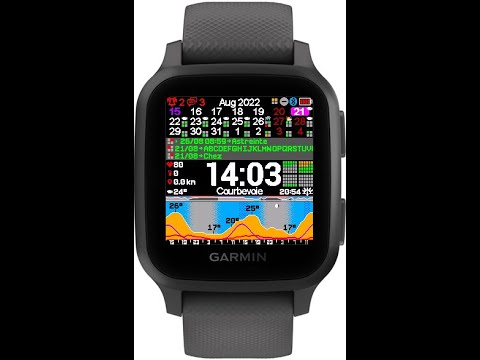
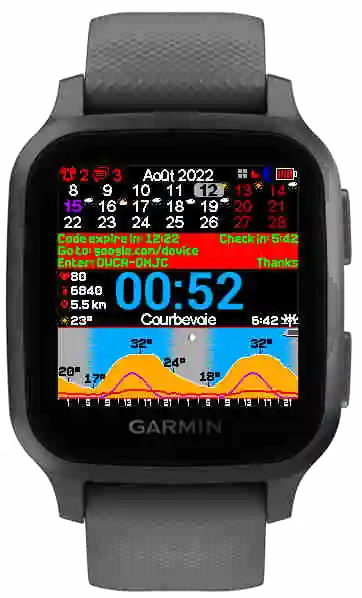
KairosEye now supports the iCal format and the Webcal protocol — the two most common standards for sharing calendar data. If your calendar app can export a link, KairosEye can display your events.
Why iCal & Webcal?
Before this update, getting your calendar onto your Garmin watch required specific formats and manual setup. iCal (.ics files) and Webcal (webcal:// links) are universal standards supported by virtually every calendar application on the planet:
- Google Calendar — export any calendar as an iCal URL
- Apple Calendar — native Webcal support, one-click sharing
- Outlook — publish calendars as iCal links
- Proton Calendar — iCal export available
- Any app that supports
.icsfiles orwebcal://subscriptions This means KairosEye now works with whatever calendar service you already use. No migration, no account linking, no proprietary format.
How to Set It Up
- In your calendar app, find the sharing or export option for the calendar you want to display
- Copy the iCal URL (usually ending in
.ics) or the Webcal link (starting withwebcal://) - Paste it into the KairosEye companion app
- Events appear on your watch — synced automatically and always up to date That's it. No account creation, no authentication flow. Just a URL and your events are on your wrist.
What Syncs
KairosEye pulls in:
- Event titles and times
- All-day events — displayed separately from timed events
- Recurring events — weekly meetings, monthly reminders, etc.
- Multiple calendars — paste multiple URLs to combine work and personal events The sync happens at regular intervals, so your watch always reflects your current schedule without manual refresh.
See It in Action
 Have questions? We're here to help — [email protected].
— The KairosEye Team
Have questions? We're here to help — [email protected].
— The KairosEye Team