New Feature: 24-Hour Timeline View

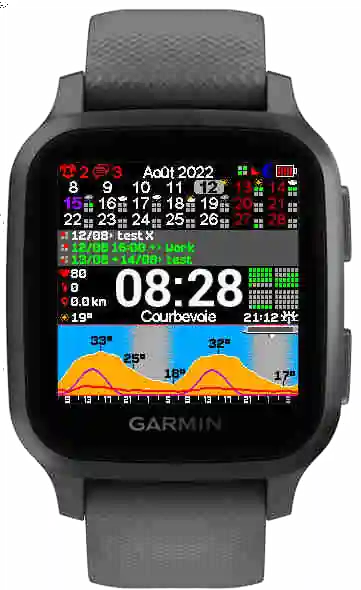
We've replaced the old info panel with a 24-hour timeline that visually maps out your entire day — busy slots, free time, and everything in between, all visible at a glance.
Why a Timeline?
A list of events tells you what is happening. A timeline tells you when and how much — which is often more useful when you're planning on the fly. With the previous layout, you could see your next few events as text. But you couldn't easily tell how packed your afternoon was, or whether there was a 45-minute gap between meetings. The timeline solves that by mapping events onto a horizontal bar that represents your full day. Busy periods are filled. Free periods are empty. One glance, and you know the shape of your day.
What It Looks Like
The timeline sits where the old information zone used to be. It runs from the current hour through the next 24 hours, with colored segments representing scheduled events:
- Filled segments = you're booked
- Empty segments = you're free
- Current time marker = where you are right now The result is a compact, intuitive view that works even on the smallest Garmin screens. No scrolling, no tapping — just a clear visual summary of your schedule.
Built for Quick Decisions
The timeline is particularly useful in situations where you need a fast answer:
- "Can I squeeze in a run before my next meeting?" — check the gap.
- "How heavy is my afternoon?" — see it instantly.
- "When does my day actually free up?" — scan to the first empty stretch. These are the kinds of questions that used to require pulling out your phone and opening a calendar app. Now they're answered by a wrist rotation.
What We Learned
Building this feature taught us something about watchface design: on a small screen, shape and color communicate faster than text. The timeline doesn't replace the event list — it complements it by giving you the big picture while the list gives you the details.
We're already thinking about ways to refine this further based on how people actually use it.
 — The KairosEye Team